AfterShip
Integrating AfterShip with ToolJet enables teams to build custom internal tools for tracking and managing shipments in real time. With this integration, you can fetch delivery statuses, monitor carrier updates, and centralize logistics data within your ToolJet application, streamlining operations and improving customer support efficiency.
NOTE
Before following this guide, it is assumed that you have already completed the process of Using Marketplace plugins.
Connection
To connect AfterShip with ToolJet you will need the API Key, which you can generate from Aftership Tracking API.
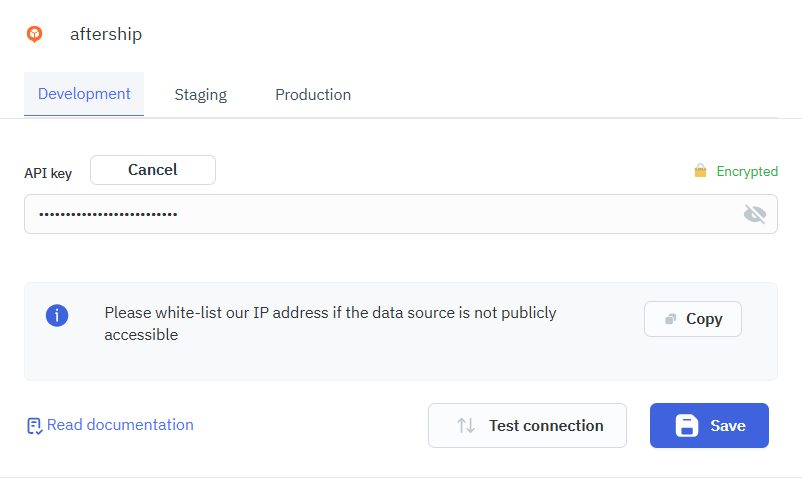
Supported Entities
- Shipping
- Tracking
- Retruns
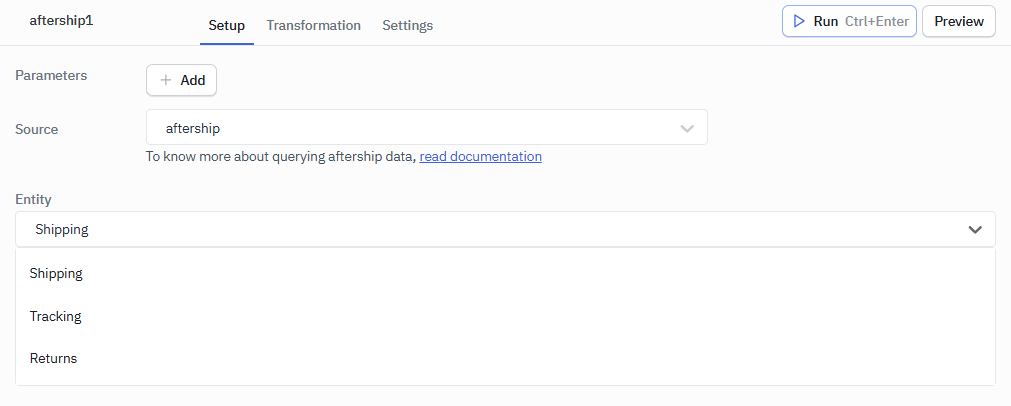
Shipping
Basic Tracking Operations
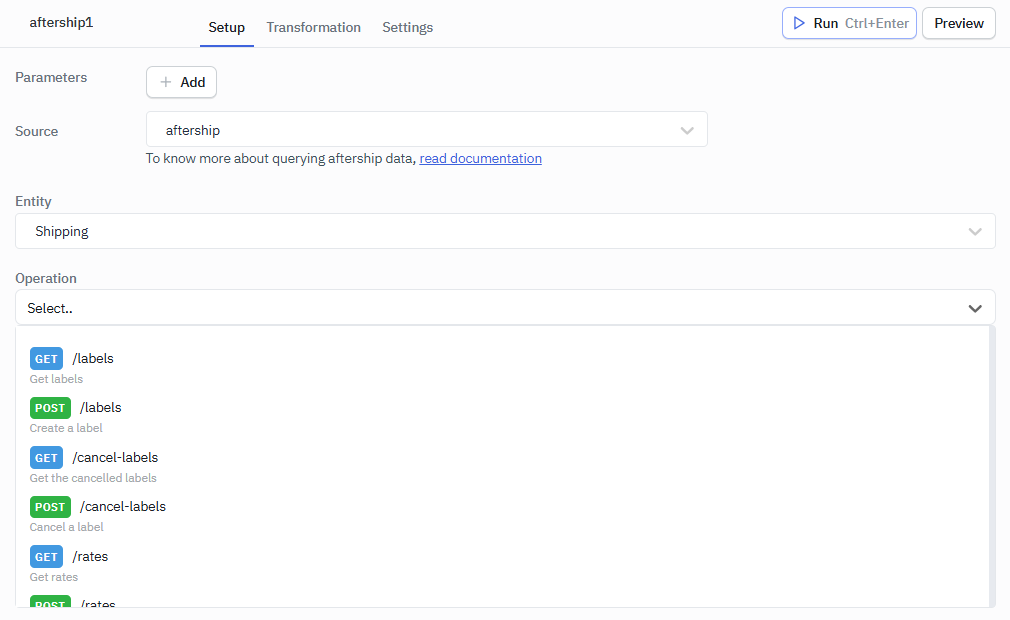
Labels
| Method | Endpoint | Description |
|---|---|---|
| GET | /labels | Get labels |
| POST | /labels | Create a label |
| GET | /labels/{id} | Get a label by ID |
Cancel Labels
| Method | Endpoint | Description |
|---|---|---|
| GET | /cancel-labels | Get the cancelled labels |
| POST | /cancel-labels | Cancel a label |
| GET | /cancel-labels/{id} | Get a cancelled label by ID |
Rates
| Method | Endpoint | Description |
|---|---|---|
| GET | /rates | Get rates |
| POST | /rates | Calculate rates |
| GET | /rates/{id} | Get a rate by ID |
Manifests
| Method | Endpoint | Description |
|---|---|---|
| GET | /manifests | Get manifests |
| POST | /manifests | Create a manifest |
| GET | /manifests/{id} | Get a manifest by ID |
Couriers
| Method | Endpoint | Description |
|---|---|---|
| GET | /couriers | Get all couriers |
Address Validations
| Method | Endpoint | Description |
|---|---|---|
| POST | /address-validations | Create an address validation |
Location
| Method | Endpoint | Description |
|---|---|---|
| GET | /locations | Get carrier locations (requires production) |
Pickup
| Method | Endpoint | Description |
|---|---|---|
| GET | /pickups | Get pickups |
| POST | /pickups | Create a pickup (FedEx, UPS, DHL Express, Purolator) |
| GET | /pickups/{id} | Get a pickup by ID |
Cancel Pickups
| Method | Endpoint | Description |
|---|---|---|
| GET | /cancel-pickups | Get the cancelled pickups |
| POST | /cancel-pickups | Cancel a pickup |
| GET | /cancel-pickups/{id} | Get a cancelled pickup by ID |
Shipper Accounts
| Method | Endpoint | Description |
|---|---|---|
| GET | /shipper-accounts | Get shipper accounts |
| POST | /shipper-accounts | Create a shipper account |
| GET | /shipper-accounts/{id} | Get a shipper account by ID |
| DELETE | /shipper-accounts/{id} | Delete a shipper account |
| PUT | /shipper-accounts/{id}/info | Update shipper account's information |
| PUT | /shipper-accounts/{id}/credentials | Update shipper account's credentials |
| PUT | /shipper-accounts/{id}/settings | Update shipper account's settings (FedEx) |
Tracking
Basic Tracking Operations
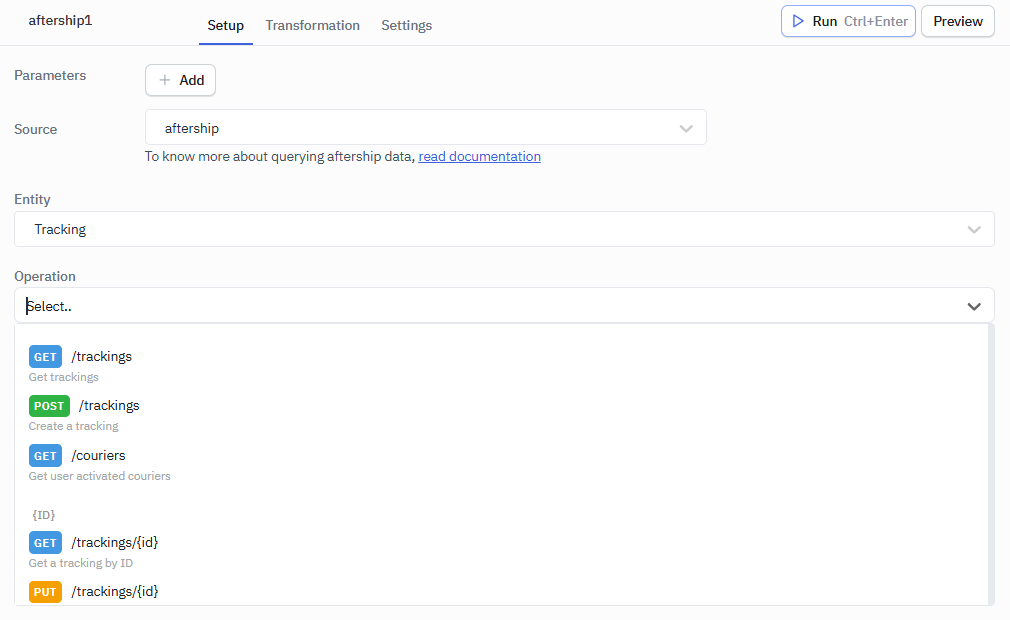
| Method | Endpoint | Description |
|---|---|---|
| GET | /trackings | Retrieve list of trackings. |
| POST | /trackings | Create a new tracking. |
| GET | /couriers | Get supported courier list. |
ID
| Method | Endpoint | Description |
|---|---|---|
| GET | /trackings/{id} | Get tracking by ID. |
| PUT | /trackings/{id} | Update tracking by ID. |
| DELETE | /trackings/{id} | Delete tracking by ID. |
| POST | /trackings/{id}/retrack | Retrack an expired tracking. |
| POST | /trackings/{id}/mark-as-completed | Mark tracking as completed. |
Detect
| Method | Endpoint | Description |
|---|---|---|
| POST | /couriers/detect | Detect courier by tracking number. |
All
| Method | Endpoint | Description |
|---|---|---|
| GET | /couriers/all | Get all available couriers. |
Predict Batch
| Method | Endpoint | Description |
|---|---|---|
| POST | /estimated-delivery-date/predict-batch | Predict estimated delivery for batch. |
Return
Basic Tracking Operations
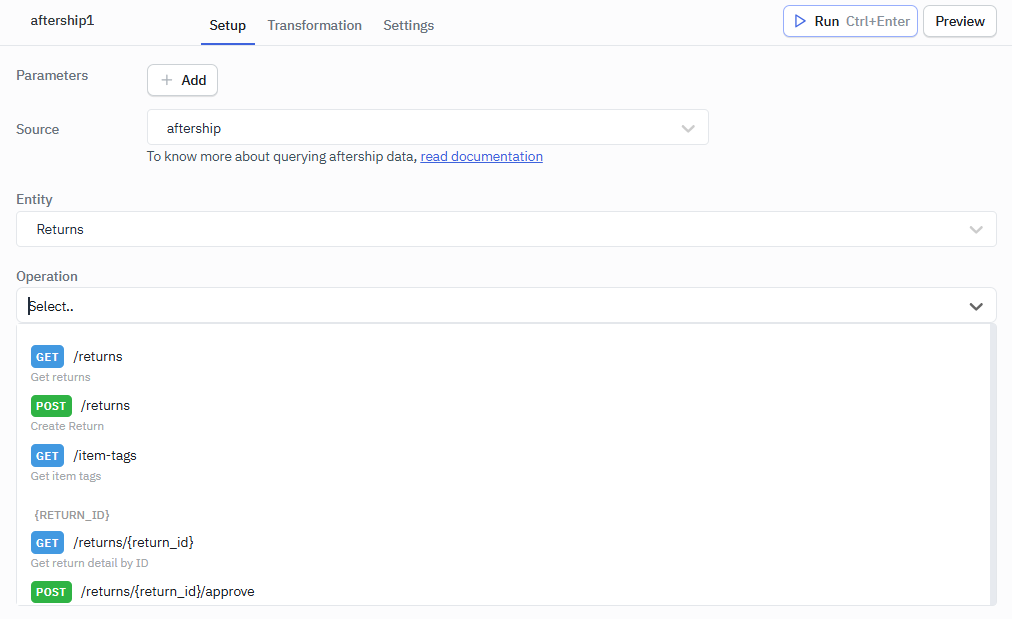
Returns Management
| Method | Endpoint | Description |
|---|---|---|
| GET | /returns | Get returns with optional filtering |
| POST | /returns | Create a new return (supports only "Refund") |
| GET | /returns/{return_id} | Get return detail by return ID |
| GET | /returns/rma/{rma_number} | Get return detail by RMA number |
Return Status Management
| Method | Endpoint | Description |
|---|---|---|
| POST | /returns/{return_id}/approve | Approve return by return ID |
| POST | /returns/rma/{rma_number}/approve | Approve return by RMA number |
| POST | /returns/{return_id}/resolve | Resolve return by return ID |
| POST | /returns/rma/{rma_number}/resolve | Resolve return by RMA number |
| POST | /returns/{return_id}/reject | Reject return by return ID |
| POST | /returns/rma/{rma_number}/reject | Reject return by RMA number |
Item Management
| Method | Endpoint | Description |
|---|---|---|
| POST | /returns/{return_id}/receive-items | Record received items by return ID |
| POST | /returns/rma/{rma_number}/receive-items | Record received items by RMA number |
| PUT | /returns/{return_id}/items/{item_id} | Update return item (tags/images) by return ID |
| PUT | /returns/rma/{rma_number}/items/{item_id} | Update return item (tags/images) by RMA number |
| POST | /returns/{return_id}/remove-items | Remove items from return by return ID |
| POST | /returns/rma/{rma_number}/remove-items | Remove items from return by RMA number |
Shipping Management
| Method | Endpoint | Description |
|---|---|---|
| POST | /returns/{return_id}/attach-shipments | Upload shipment info by return ID |
| POST | /returns/rma/{rma_number}/attach-shipments | Upload shipment info by RMA number |
Dropoff Management
| Method | Endpoint | Description |
|---|---|---|
| POST | /returns/rma/{rma_number}/dropoffs/{dropoff_id}/drops | Record dropped-off items (QR dropoffs) |
Utility Endpoints
| Method | Endpoint | Description |
|---|---|---|
| POST | /returns/link | Generate returns page deep link with pre-filled info |
| GET | /item-tags | Retrieve all available item tags |