Mailgun
ToolJet can connect to your Mailgun account to send emails.
The Mailgun API Datasource supports for interaction with the mail endpoint of the Mailgun API.
Connection
To establish a connection with the Mailgun data source, click on the + Add new data source button located on the query panel or navigate to the Data Sources page from the ToolJet dashboard.
ToolJet requires the following to connect to your Mailgun:
- Domain: Your Mailgun sending domain. ToolJet sends email through this domain.
- Api key
Optionally, turn on EU hosted if your Mailgun account is hosted in the EU. ToolJet then sends requests to https://api.eu.mailgun.net instead of https://api.mailgun.net.
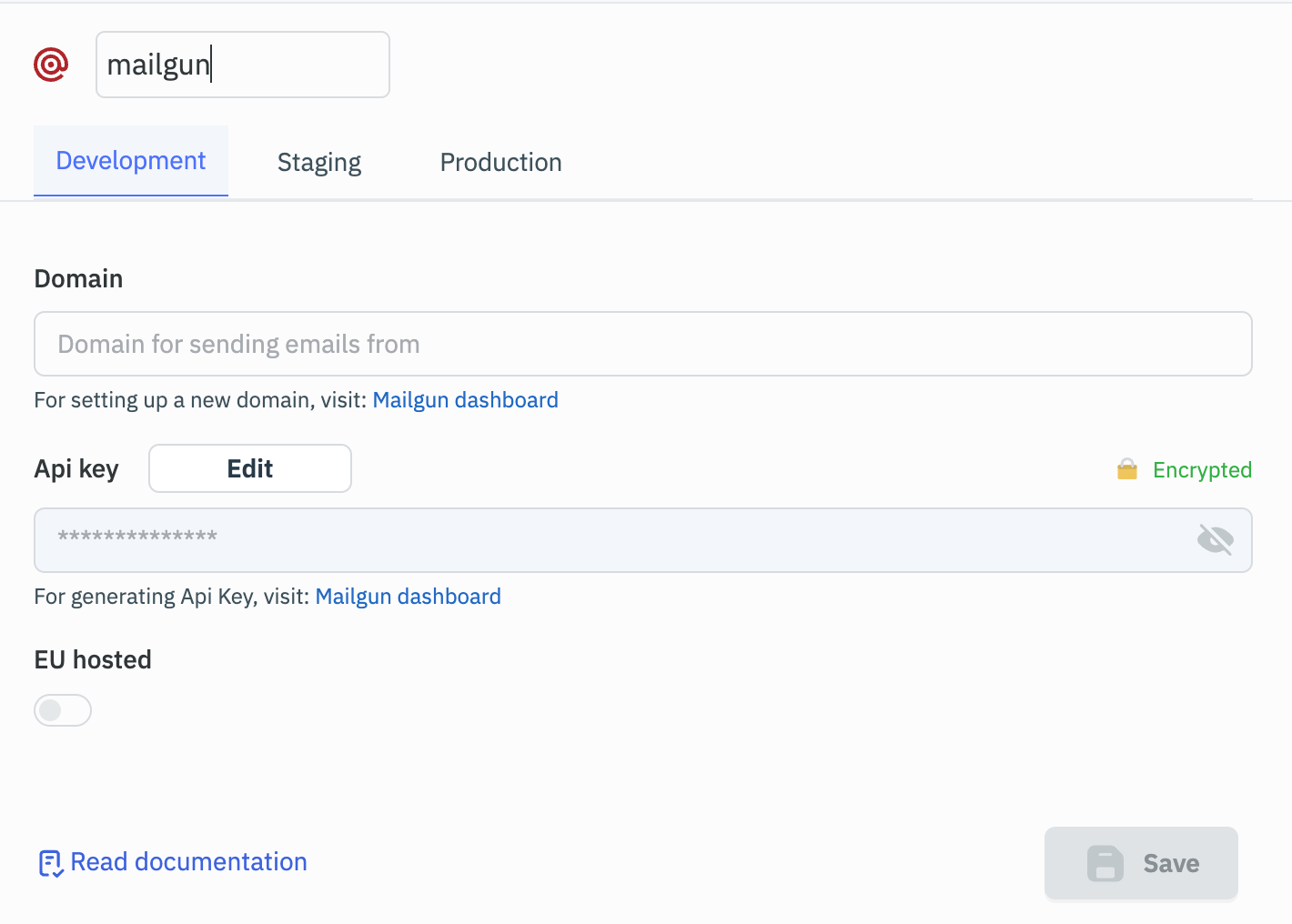
Mailgun API key is required to create an Mailgun datasource on ToolJet. You can generate API key by visiting Mailgun account page.
Supported Operations
Email Service
Required parameters:
- Send mail to
- Send mail from
- Subject
- Body as text
Optional parameters:
- Body as HTML
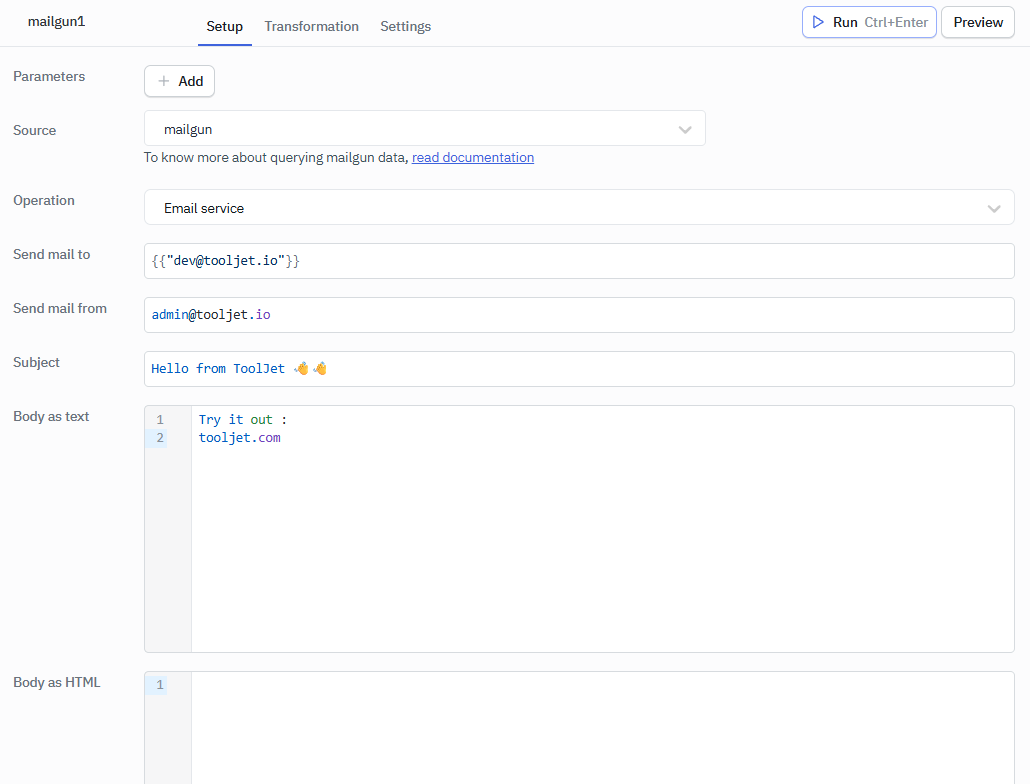
Send mail to - accepts an array of email addresses, even for a single recipient.
For example:
{{["[email protected]"]}}.
Send mail from - accepts a string.
For example: [email protected]
Multiple recipients - Add each address to the Send mail to array, for example {{["[email protected]", "[email protected]"]}}.